Dropping Wispr Flow’s Word Cap with Local OpenWhispr
Published:
By Andrew RutledgeWhy I replaced Wispr Flow’s free tier with OpenWhispr running local models on an 8-year-old PC, and how it’s held up day to day.
How It Started: Hitting Wispr Flow’s Word Cap
A few months ago, a lot of the people I follow on LinkedIn and other tech channels were raving about dictating their posts and talking to AI instead of typing, and it was saving them a ton of time and effort. One person in particular got me to try it: Leon Noel of 100Devs and Learn with Leon, whose word I trust more than most. He posted that he was partnering with Wispr Flow, and signing up with his affiliate code got you a free month and supported him, so I gave it a go.
That first month I racked up ten or twelve thousand words, mostly because I was having fun trying it in different settings. But it never became a habit. Once the free month ended, I was dropped down to the free tier’s hard cap of 2,000 words a week. The first week in the free tier I hit my weekly cap on a Tuesday and couldn’t use it for the rest of the week. This caused me to start rationing it for when I really needed it, like my habit in RPGs of saving up potions and one time use buffs for a big boss fight, only to never touch them by the time I finish the game. In practice that meant I mostly used it all on Mondays in 1 session, or right before the limit reset on Sunday to get the most use out of it as I could. Or more commonly, forgetting entirely and using it once or twice over the course of the week and ending with maybe a hundred words transcribed. You can’t build a strong habit out of that.
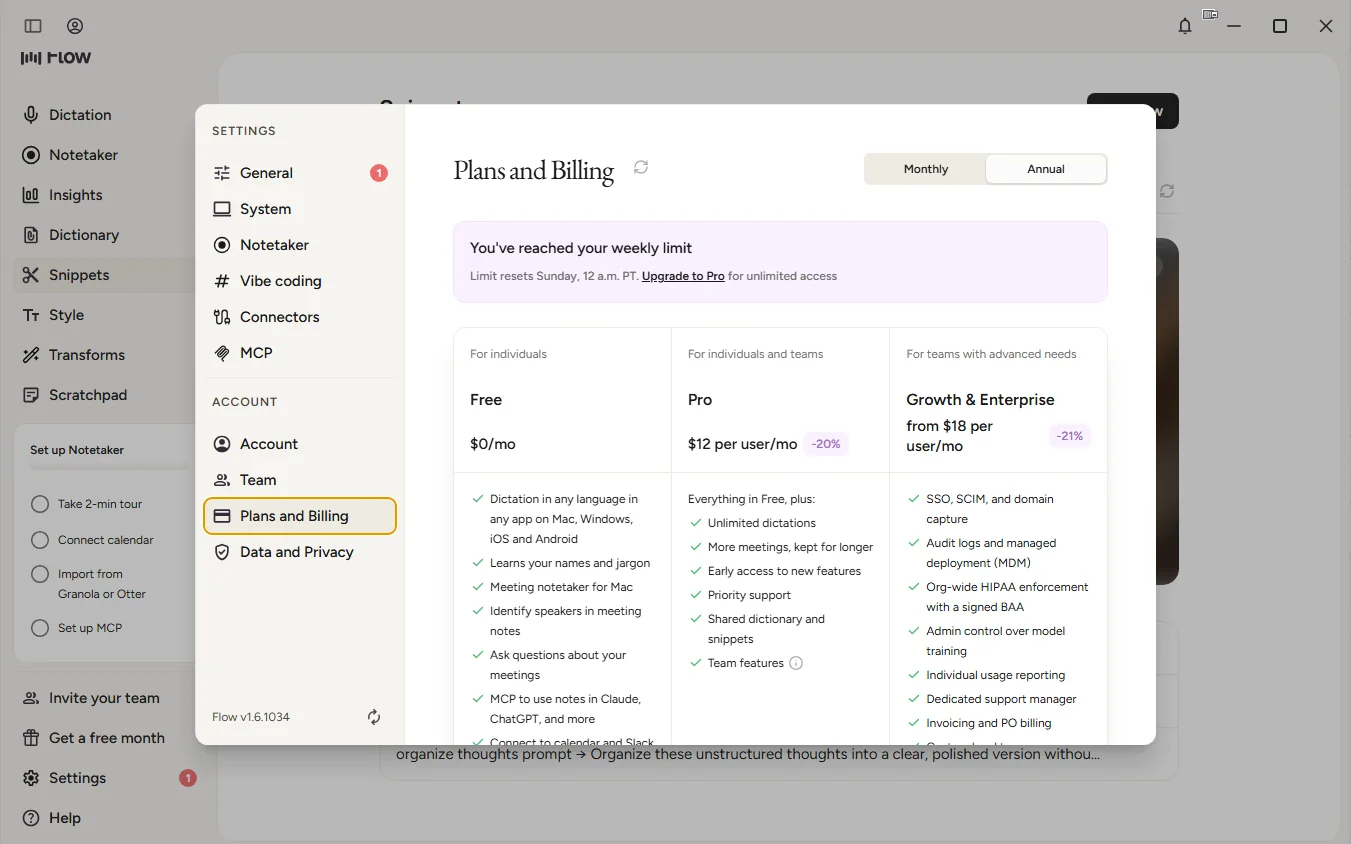
After about a month of struggling to figure out a system on the best time to use it, I figured there had to be options that didn’t cost $12 - $15 a month for unlimited use. A little research turned up a few, mostly paid apps advertising a one-time price, unlimited use, and no weekly caps. One of them, Whisperstream, cost $29. That’s about two months of Wispr Flow to own one outright.
That got me thinking, if these apps were getting their models from somewhere, I probably could too. After a bit more digging, I found OpenWhispr, a free, open-source dictation app that runs speech models on your own machine.
Setting Up OpenWhispr Locally
My PC is about eight years old. It’s using an RTX 2070 with 8GB of VRAM and 64GB of DDR3 RAM. Nothing fast by today’s standards, but it was a beast back in the day, and it met the requirements, so I gave it a shot.
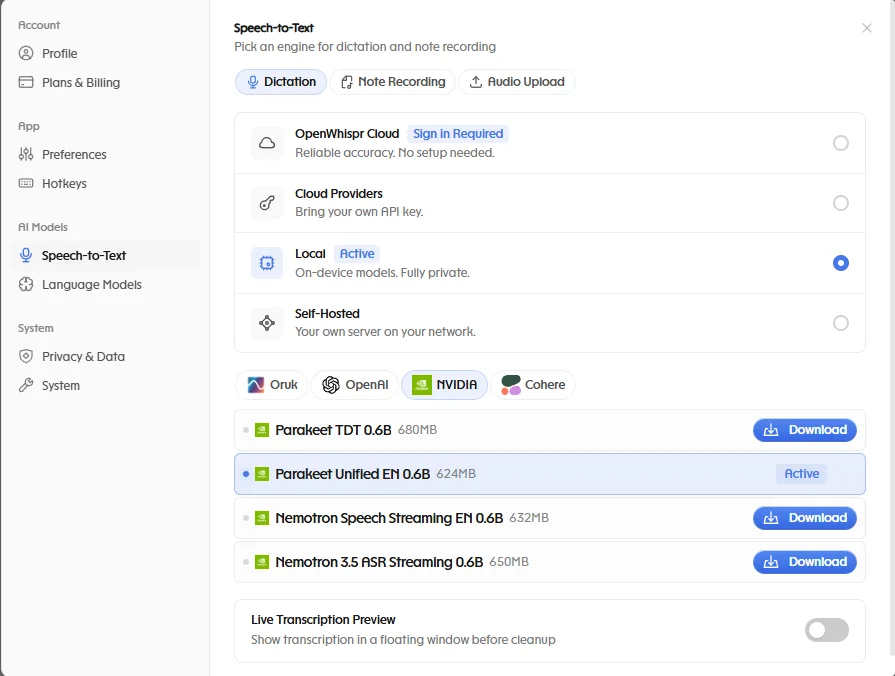
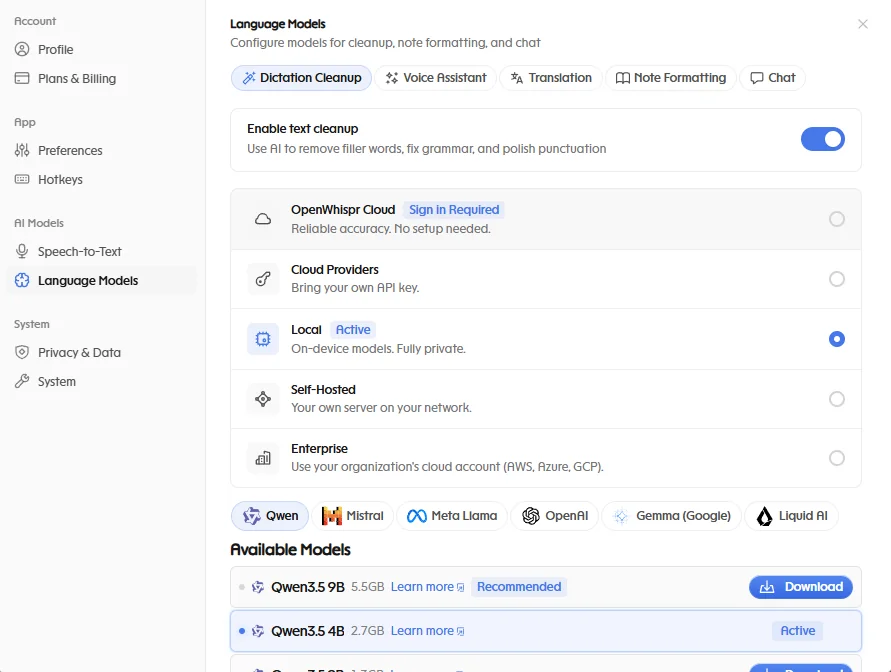
I set it up in local mode only. No account, no cloud service. I wanted it 100% on my machine so my data stays mine. What I say doesn’t go anywhere. I picked small to medium sized models for transcription and clean up, and didn’t allow anything through the firewall from the models to ensure it stayed completely local.
First Impressions
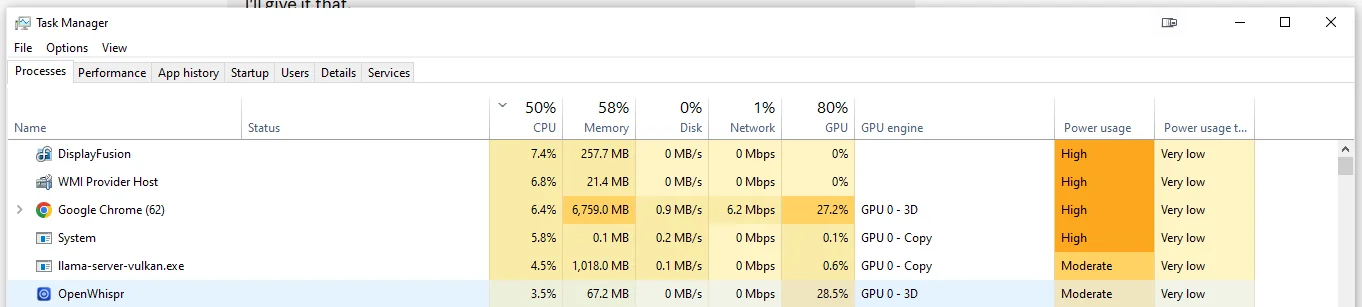
First impressions weren’t great. My first test crawled and eventually timed out. My CPU usage was stuck at 100%, but OpenWhispr wasn’t the main culprit. My kid had started a movie on Jellyfin, which also runs on this PC, and it was transcoding the video on my CPU. Parakeet runs on the CPU in OpenWhispr too, so the two were fighting over the same cores while my GPU sat mostly idle. The fix was a quick settings change on the Jellyfin side. I switched it to NVIDIA hardware transcoding so video goes through the GPU instead of CPU. Dictation became usable, and my CPU is under a lot less pressure in general now.
Even with everything set up right, the first run of a session is slow while Parakeet and Qwen load. After that it’s decent. It’s noticeably slower than Wispr Flow, but not to the point where it annoys me. A 10-minute ramble might take up to a minute to come back, while in contrast Wispr Flow would have it ready pretty much instantly. But I don’t get capped, it doesn’t cost anything, and nothing leaves my machine.

Freeing Up VRAM for Gaming
Because I play games on an older card, I didn’t want the models sitting in VRAM in the background. So I wrote a batch script that closes OpenWhispr and all its helper processes. Running it again reopens everything, ready to go. I mapped it to a button on my Stream Deck, and it’s worked flawlessly.
Limitations
It’s not a perfect setup. OpenWhispr has no mobile app like Wispr Flow does, and there’s no way to reach it from my phone over Tailscale. Voice typing was one of the main reasons I bought a Pixel, and it works really well, so that’s what I use on mobile. Wispr Flow does have unlimited transcribing on the Android version of the app, but that was stated to be for a limited time and I don’t know when I would lose access to that so I don’t want to rely on it.
I also tried the meeting notes feature on a 30-minute work meeting, mostly so I’d have the to-dos that were said out loud without taking as many notes (Just an internal 1:1 so no PHI risk). The transcript and auto-generated to-do list were genuinely useful, even though it mixed up who said what. Where it broke was when I tried to chat with the transcript. I hit a 16,384-token context limit error. It seems to be hardcoded for local models, with no setting to change it, even though my hardware could likely handle more. I submitted a feature request on the GitHub asking them to expose that setting, so we’ll see if that ever goes anywhere.
The Verdict: Was It Worth It?
So, was it worth it? Without a doubt. Dictation is a habit for me now, because I’m not rationing it anymore. I can get my thoughts into one place much more coherently and talk through what I’m working on. That adds an extra layer of understanding, since I have to be able to explain something for it to come through clearly in text.
It saves me the $15 a month I’d otherwise pay for Wispr Flow, and the only cost is some extra processing time. I could run a full speed comparison, but I don’t see a real need. It’s fast enough that it doesn’t bug me, and that’s what counts. On top of that, I care a lot about data privacy, and keeping everything local matters to me.
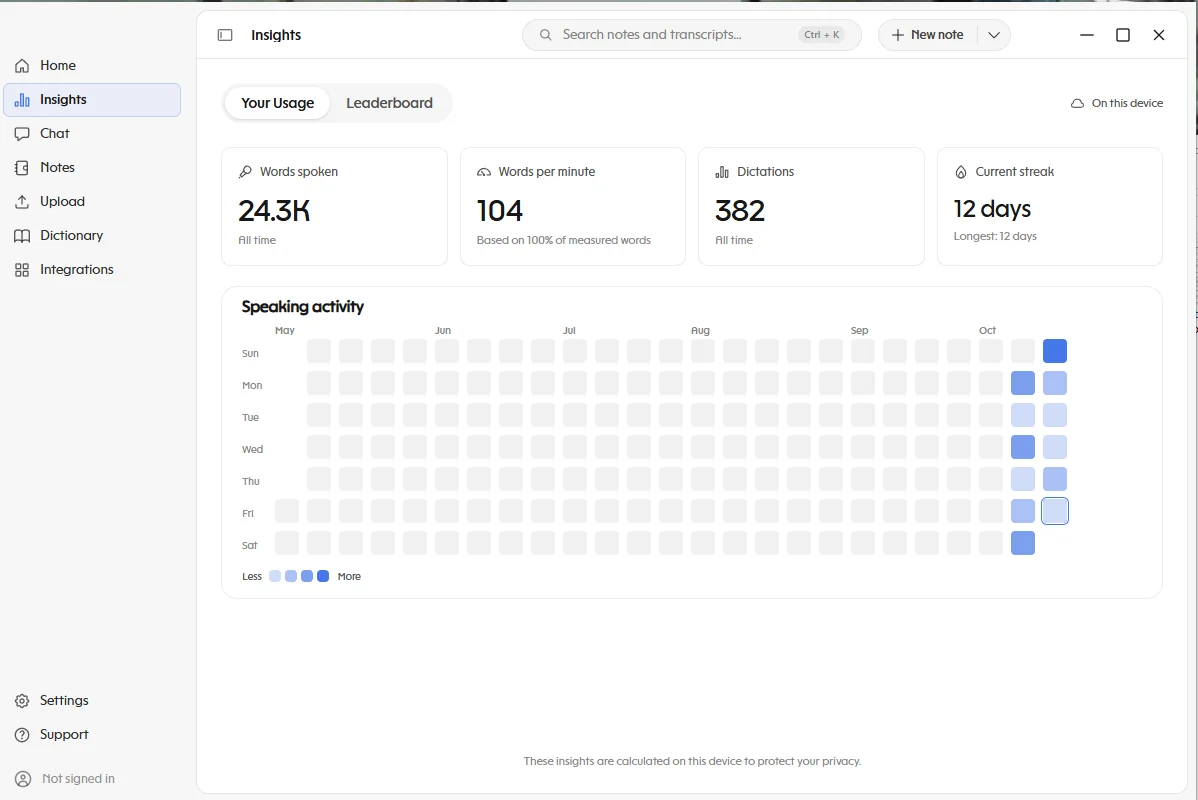
Would I recommend it? Yes. You should try it for yourself. If you have a PC that can run modern games, chances are you can run some transcription models. You don’t have to use OpenWhispr or the same models I did. If you have the hardware, save yourself the money and try hosting it yourself. Setup was relatively painless. Next, I might experiment with other models to find a better balance between what my GPU and CPU can handle, and speed things up if it ever starts to bother me. For now, it’s more than enough.
As proof that it works, I dictated this entire post. The cleanup pass alone did a good chunk of the first round of editing for me, which is fantastic.
I have included the raw text that came through initially so you can get a feel for how it comes through and see some of the rougher spots.
The Unedited Version
The big question is: was it worth it? Would I recommend it? I would say, without a doubt, it was worth it. I have turned dictation into a habit now because I’m not trying to ration my usage of it. I am able to much more cohesively and coherently get my thoughts together in one spot and talk through things I am working on, which builds an extra layer of understanding because I have to be able to explain it to get it to come through in text. It’s saving me fifteen dollars a month that only costs me a couple extra seconds in processing time. I could do a full test of that, but I don’t think there’s a real need. It’s fast enough that it doesn’t bug me, and that’s all that really counts. Plus, I value data privacy very heavily, and keeping it all local is very important. Would I recommend you try it? Yes, without a doubt. You should definitely try this for yourself. You don’t have to use Open Whisper, you don’t have to use the same models I used. If you have the hardware for it, save yourself the money and try hosting it yourself. The setup was relatively painless. I may experiment with other models next just to try to fine-tune the balance between what my graphics card can handle, what my CPU can handle, and trying to optimize the process time if it ever does start bugging me, but for now, this is more than enough. For proof that it works, I actually dictated this entire post, and with just its cleanup pass, it did a good chunk of the original editing for me, which is fantastic.